Build a Linux cluster for under $2500. That is crazy -- or maybe not. Join Doug and Jeff as they undertake this outrageous project.
Keeping an eye on hardware prices is essential if you want to become a certified cluster geek. Remember those gigabit Ethernet switches that cost an arm an a leg, or how about those DDR DIMMs. Today those price seems to be a bit more in reach. Perhaps the extreme in low prices, came when Walmart introduced a $200 PC built from "value parts" (i.e. very low cost PC hardware). Some quick math says, an eight node cluster could be built for less than $2000 and gigabit Ethernet could be added for another $500 and presto, you have yourself a cluster.
You're Joking Right?
Most cluster procurements start with a fixed budget amount. This number is the first design constraint. The goal is to pack as much performance and functionality into your budget. Both hardware and software choices will play out in this scenario. So what if instead of having $250,000 or $25,000 for your cluster budget, you had $2500?
Regardless of the amount of money, building a cluster is an interesting optimization problem and a $2500 cluster would also make for a good story based on the shear absurdity of the idea. But, maybe it is not so crazy and the answer to the question "Surely such a cheap cluster cannot be used for anything useful?" is like all cluster questions -- It depends.
A low cost, personal cluster has some advantages. First, in an educational environment, it is an inexpensive way to learn the art of clustering. Second, a small personal system is great for software development and experimentation. There is no need to tie up production systems with these kinds of tasks. Third, while you will not make the Top500, you will probably have more computing power and memory than your desktop currently provides. And finally, speaking as cluster geeks, it is just has to be done.
| Sidebar One: Thank you AMD! |
| The authors wish to thank AMD for supporting this project. In particular for not laughing in our faces when we suggested the idea. |
Kronos Is Thy Name
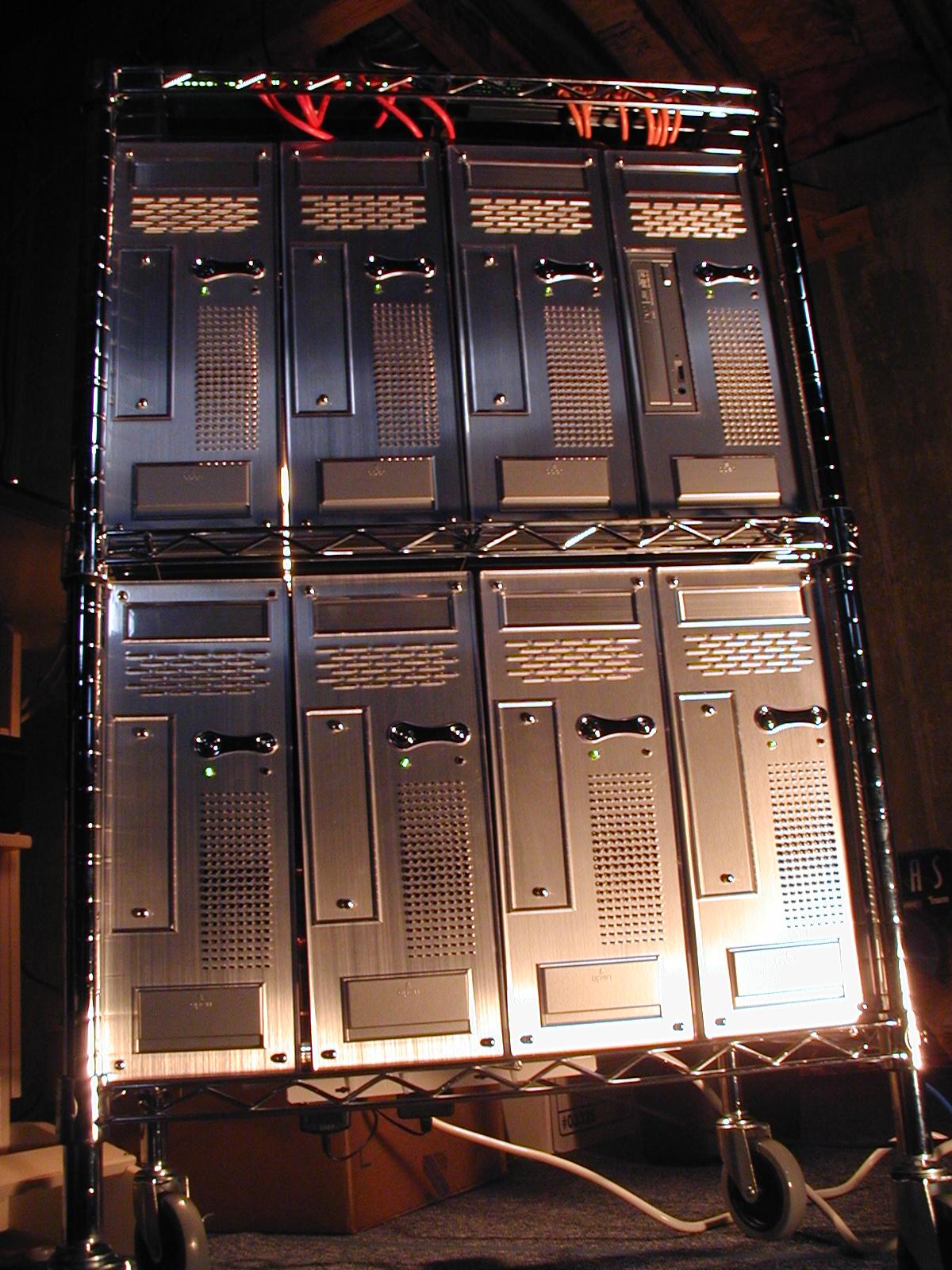
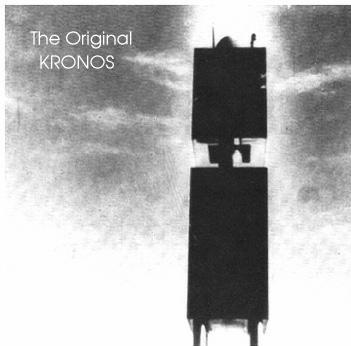
So what does this cluster look like? You can see it in Figure One below. Since the picture kind of reminds us of an old Sci-Fi movie called KRONOS, We thought it would make an appropriate name. The original KRONOS is shown to the right.
Kronos is a complete eight node cluster with eight Sempron 2500 processors (and nice shiny silver cases). The head node has 512 MByte of RAM (PC2700), 64MB AGP Video card, a DVD/CD Reader/Burner, 160 GBytes of RAID 1 storage, two FastE links, and one GigE link. The nodes have 256 MBytes of RAM (PC2700), a FastE link, and a GigE link. The nodes are intentionally disk-less because we are using the Warewulf toolkit on top of Fedora Core 2. We use two Ethernet switches, an eight port FastE and and eight port GigE (with jumbo packet support). Yes, all this for $2500.
Rules of the Game
Before we get into the details, here are the rules of our project.
- Spend no more than $2500 to build a small cluster.
- Use only screwdrivers and maybe some needle nose players, but no fancy skills are required.
- All hardware must be purchased "off the shelf" and be readily available from several sources.
- Use only freely available software.
While these rules may be hard to live with at times, they ensure, that the system will have minimum cost and easy construction. If you are playing along at home, you may wish to increase the budget and add faster CPUs, more memory, or nodes. But remember, if you get to far off the track, we cannot help you with any incompatibilities you find. As with most cluster projects the devil is in the details.
The Master Plan
This article is the first part in a 3-part series on building and testing your own Linux cluster. In essence, it is a recipe for building a cluster. As we move through the series, we will reveal our thinking and decision making process for low cost hardware. Much of the thought process should be similar for larger clusters as well. We will not get into environmental considerations nor will we concern ourselves with density issues (i.e. the size of the cluster is largely determined by the smallest low cost case we can find.)
This first installment will cover the design, hardware components, and assembling the hardware. The next two parts will be:
At the conclusion of the series we expect to revisit the cluster to demonstrate a concept, run an application, or even upgrade the system. We may also use Kronos to demonstrate other concepts or application software.
Eye On the Prize
To provide some incentive, Figure One (A large version of Figure One can be found here.) shows the completed cluster. Aside from the sexy silver appearance, you will notice there is no monitor or keyboard (optional if you need them). While certainly not a desk-top system, and maybe not even desk-side system, it is highly maneuverable and capable of being powered by standard office/home electrical service. The entire cluster measures, 40 inches (102 cm) high, 24 inches (61 cm) wide, 18 inches (46 cm) deep. It is also quite mobile.
We should also mention that we are not really pioneers in this area. The Aggregate.org crew (aggregate.org) had previously built the low cost KASY0 (Kentucky ASYmmetric Zero, pronounced "Kay-See Zero"). The KASY0 cluster cost around $300 per node and was the first cluster to break the $100/GFLOPS threshold. As of August 22, 2003, KASY0 also holds the record for POV-Ray 3.5 rendering speed.
| Sidebar Two: The Walmart Cluster |
| Walmart sells very inexpensive desktop systems. Initially we considered using these systems as a basis for a cluster. Indeed, we actually purchased a few systems. We found two issues with this approach. First, at the "value" price point, there is no guarantee you will get all the same system components. This situation was considered too unpredictable and could lead to incompatibilities and unforeseen problems. Second, the systems were not exactly what we wanted and thus would reduce our flexibility. And, by the way, Eadline's daughter likes her Walmart computer just fine. |
Ready, Set, Go
So where to begin. Let's flesh out a general goal and see if we can fit in our budget. First, we figure it will be a 32-bit cluster with single CPU motherboards, dual systems or 64-bit hardware are still a little to expensive for our budget. Since most inexpensive Ethernet switches have eight ports, we'll shoot for a node count of eight. We would also like to have 256M of memory on the compute nodes, and 512MB on the head node. Gigabit Ethernet (with Jumbo packet support) would also be a big addition although we understand it will be constricted by a 32-bit PCI bus. This design sounds reasonable, but before we go to the web and start looking up prices lets settle on some other design criteria.
One way to save money and power, is to make the nodes diskless. The smallest hard drives cost about $50, which is about the cost of a 32-bit Gigabit Ethernet card. Plus we really don't want the hassle of "diskfull" cluster management. After some deliberations, we decided the RAM disk based Warewulf package seems like the best solution. Warewulf still needs an underlying distribution, which is another decision point. After still more deliberation, we chose Fedora Core 2 (Fall of 2004). While there are many other Red Hat derived distributions, we think the Fedora distribution has enough supporting information to allow us to refer questions to books, web-pages, and mailing list when problems arise. We will talk more about these issues in the future when we get started with the software.
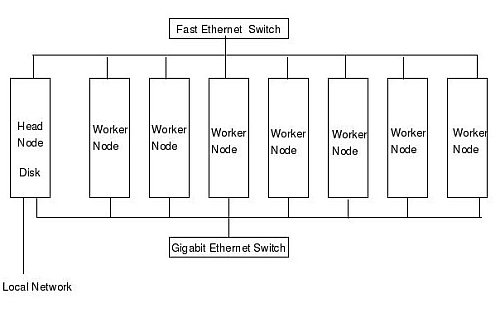
Our target design is shown in Figure Two. Because most systems come with on-board Fast Ethernet, we will design two networks for the cluster -- a low speed Fast Ethernet (FastE) and high speed Gigabit Ethernet (GigE). As shown on the figure, if you plan on connecting the cluster to local network the head node will need an additional Ethernet NIC.
In summary we need a master node with a single processor, 512MB memory, video card, hard drive, and three network controllers (two FastE and one GigE). We also would like a DVD drive, but no floppies. The nodes require a single processor, video card, 256MB memory, and a GigE NIC.